Warning
You are reading the documentation for an older Pickit release (4.0). Documentation for the latest release (4.1) can be found here.
Calibration
Robot-camera calibration is the process where the camera and the robot learn their relative position with respect to each other. This allows Pickit to send detection results to the robot in its own coordinates. Depending on the camera mount, robot-camera calibration does the following:
Fixed camera mount: Where is the camera with respect to the robot base?
Robot-mounted camera: Where is the camera with respect to the robot flange?
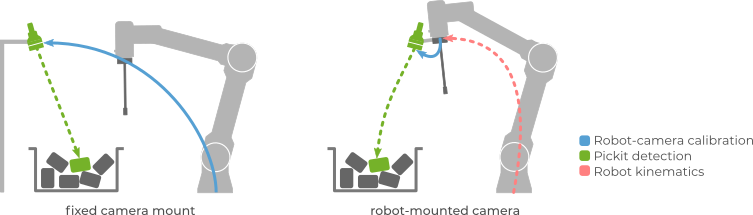
Calibration can be performed once the camera and robot have been mounted in the work cell, and needs to be redone if the camera moved relative to the robot base (fixed camera) or flange (robot mounted camera).
Pickit ships with a calibration plate that has special markers printed on it (below left). During robot-camera calibration, the robot shows this plate to Pickit from different viewpoints, and Pickit learns the relative position between camera and robot:
For a fixed camera mount (below center), the plate is attached to the robot end-effector, and Pickit learns the location between the camera and the robot base.
For a robot-mounted camera (below right), the plate is located at a fixed position in the work cell, and Pickit learns the location between the camera and the robot flange.
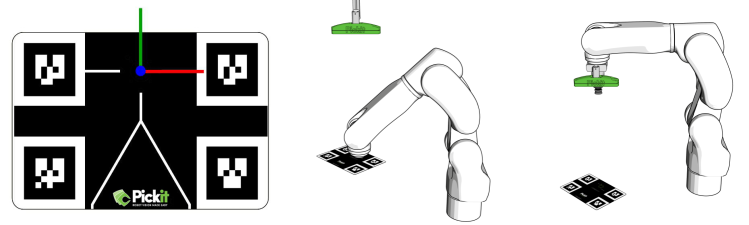
Calibration uses the color image in addition to 3D information to detect the plate, so it’s important for the markers in the plate to be clearly visible, without reflections, artifacts or over-illumination from external light sources learn more.
The calibration plates
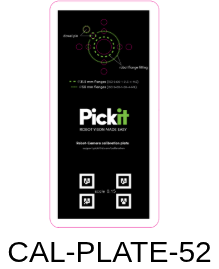
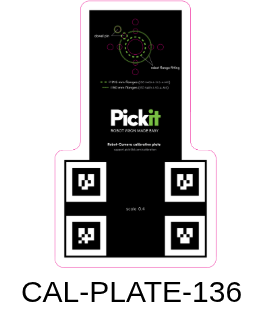
Pickit offers several different calibration plate types.
|
|
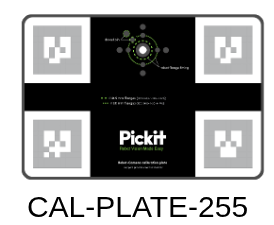
|
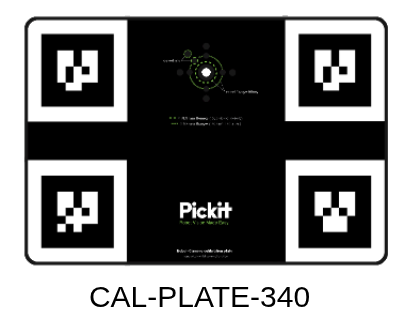
|
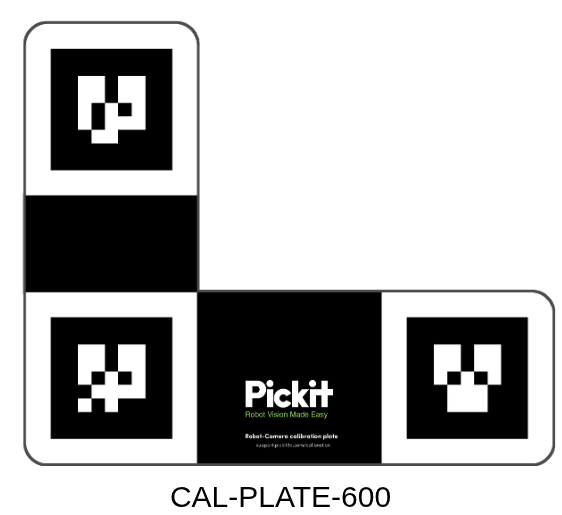
|
|
The best choice for your application depends on the camera type and the working distance, that is, the distance between the camera and the parts to pick:
working distance |
calibration plate |
|
|---|---|---|
< 1.4 m |
CAL-PLATE-340 |
|
> 1.2 m |
CAL-PLATE-600 |
|
all distances |
CAL-PLATE-52 |
|
all distances |
CAL-PLATE-136 |
|
all distances |
CAL-PLATE-255 |
|
> 0.7m |
CAL-PLATE-340 |
Note
When there is the possibility to choose between a CAL-PLATE-340 and a CAL-PLATE-600 plate, we recommend to use the CAL-PLATE-340 plate when the camera mount is fixed and the CAL-PLATE-600 plate when the camera is mounted on robot.
Performing calibration
The most accurate results are obtained when the calibration plate is detected from multiple viewpoints, using multi poses calibration.
Although infrequent, in some applications the workspace might be too limited to detect the calibration plate from multiple viewpoints. For such cases, if the camera mount is fixed, Pickit supports the single-pose calibration method. Considering that it can produce less accurate results, it should only be used when multi poses calibration is not an option.
Note
Robot-camera calibration data is associated to the calibrated camera, not to the Pickit configuration (setup or product files).
Validating calibration
An incorrect or outdated calibration can lead to unexpected robot motions. An incorrect calibration can result from not following correctly the calibration prodecure. A calibration can become outdated if the camera moved relative to the robot since the last successful calibration.
Note
The robot-camera calibration quality relies on the robot accuracy and on the camera accuracy. Therefore, if you observe a persistent robot-camera calibration error that cannot be fixed with better calibration poses, it is recommended to verify the accuracy of both camera and robot.
There are two ways in which robot-camera calibration can be validated:
Quantitative validation, using the Pickit web interface or a robot program.
Qualitative validation, using the Pickit web interface and manual inspection.
Attention
The first picks after performing calibration should be executed at a low robot speed, so unexpected behavior can be identified early enough to prevent the robot from colliding with people or the environment.