Pick point symmetry axis
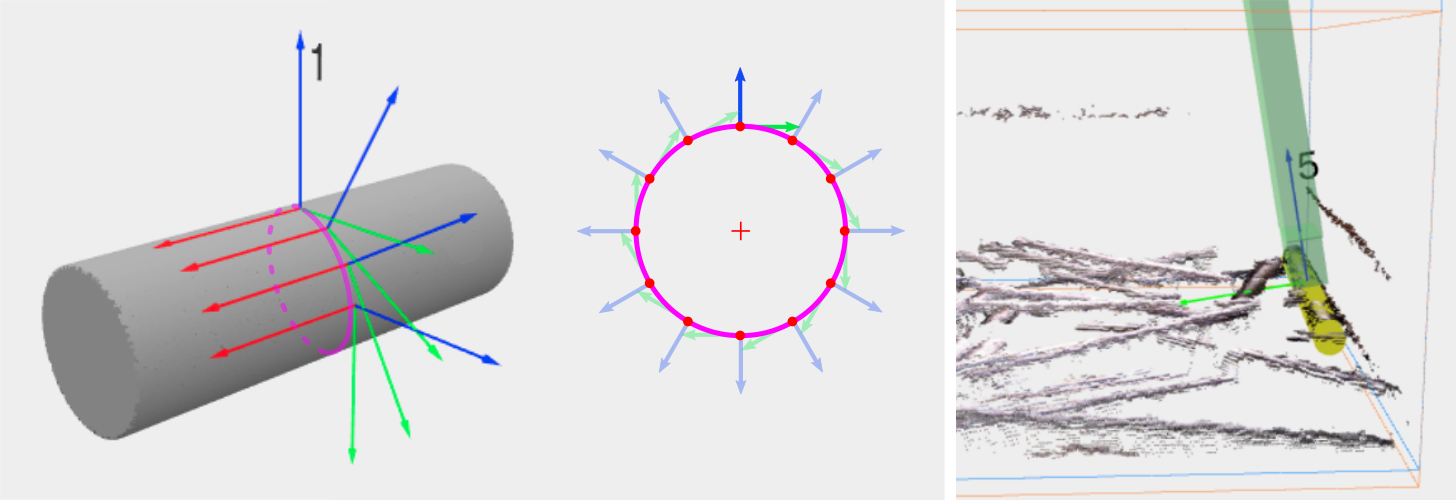
It is quite common to encounter applications where the parts to pick are symmetric about an axis. Consider the example of a pick point on the surface of a cylinder. Any point along the highlighted circle (below left) is equally valid, and this motion freedom can be exploited to increase the likelihood of the object being pickable. Below right, although we prefer to pick from the top of the cylinder, the pick point is tilting away from the bin to prevent a collision with it.
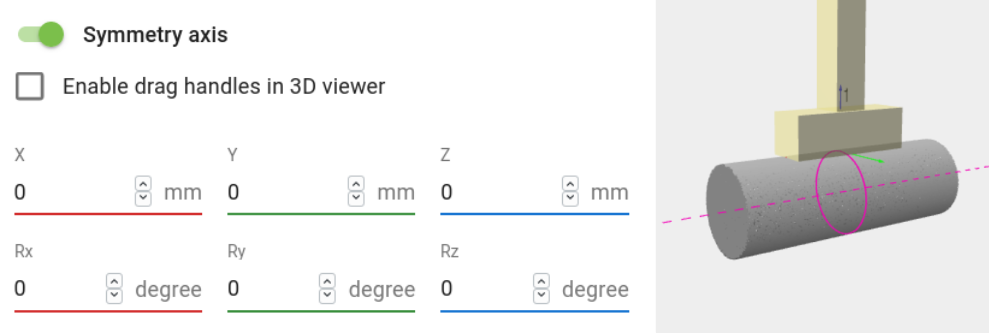
Pickit allows to individually make pick points symmetric about an axis. The location of the axis is specified in a similar way as is done for pick points (below left), and it’s visually displayed in the 3D pick points view as a dashed magenta line for the axis, and a magenta circle where the pick point is allowed to move (below right).
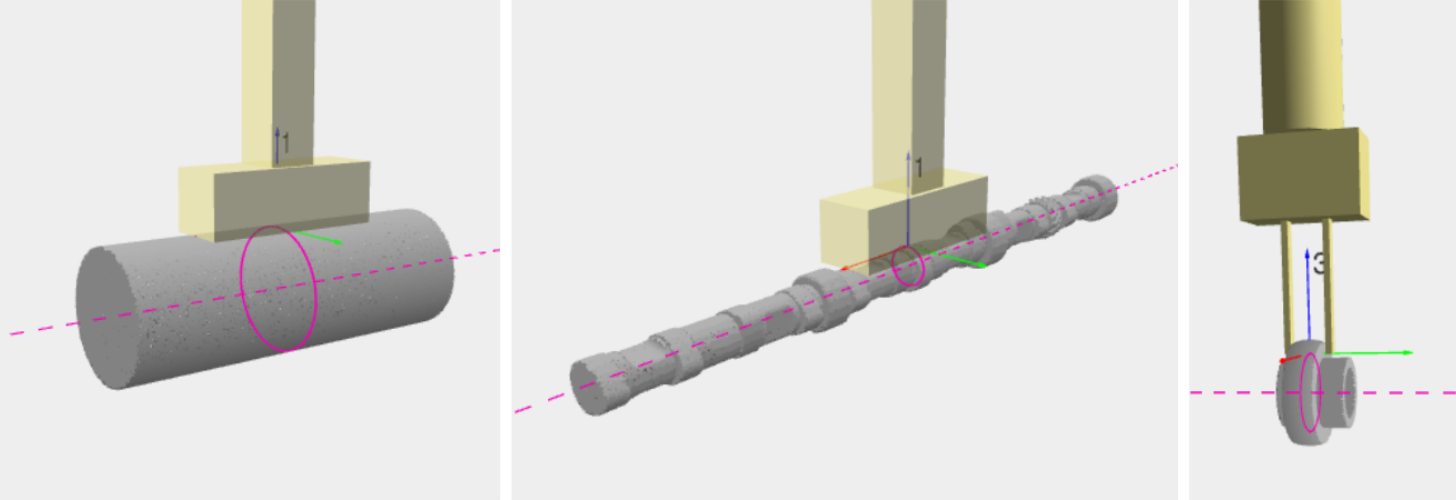
Typical applications where this feature is useful include picking billets, pipes, shafts, discs and rings.
Note
A symmetry axis is automatically added to all pick points created using the wizards for:
Tip
Refer to the How to get more pickable parts article to learn about the different strategies supported by Pickit to increase the number of pickable parts produced in a single detection.