How to place parts with higher accuracy than that of bin picking?
In previous questions, we have covered what it takes to set up a vision-guided picking application where parts can be successfully detected and picked by the robot with the best possible picking accuracy.
Some applications, however, can have very strict accuracy constraints when it comes to placing parts. This article presents best practices that allow your vision-guided picking application to place parts with an accuracy that is higher than what the vision system can deliver for bin picking.
Robot tool design
The design of your robot tool can make a big difference when it comes to producing accurate picks and drop-offs. We cover this topic in detail in the article about what makes a good tool for bin picking.
It is however noteworthy to highlight that a well-designed tool can cancel out detection and picking errors up to the accuracy of the tool model (manufacturing tolerances, robot TCP definition) in some directions.
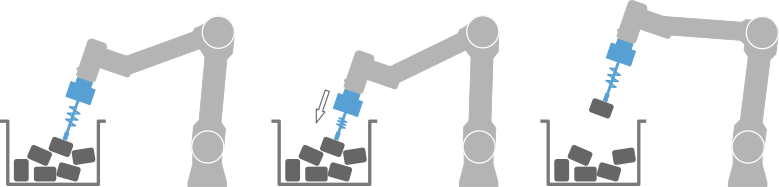
One example is picking parts on their surface with a suction or magnet gripper. Adding compliance in the approach direction cancels out errors in this direction.
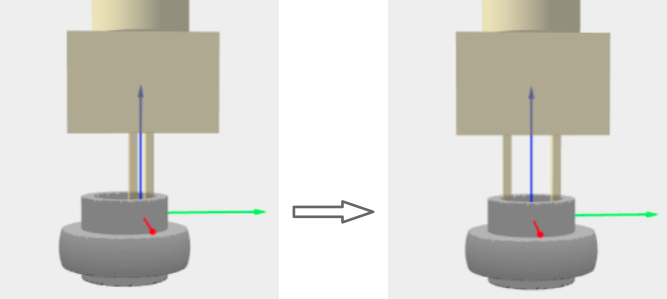
Another example is picking rings with a two-finger gripper. Using and an internal grasp cancels out errors in the radial direction.
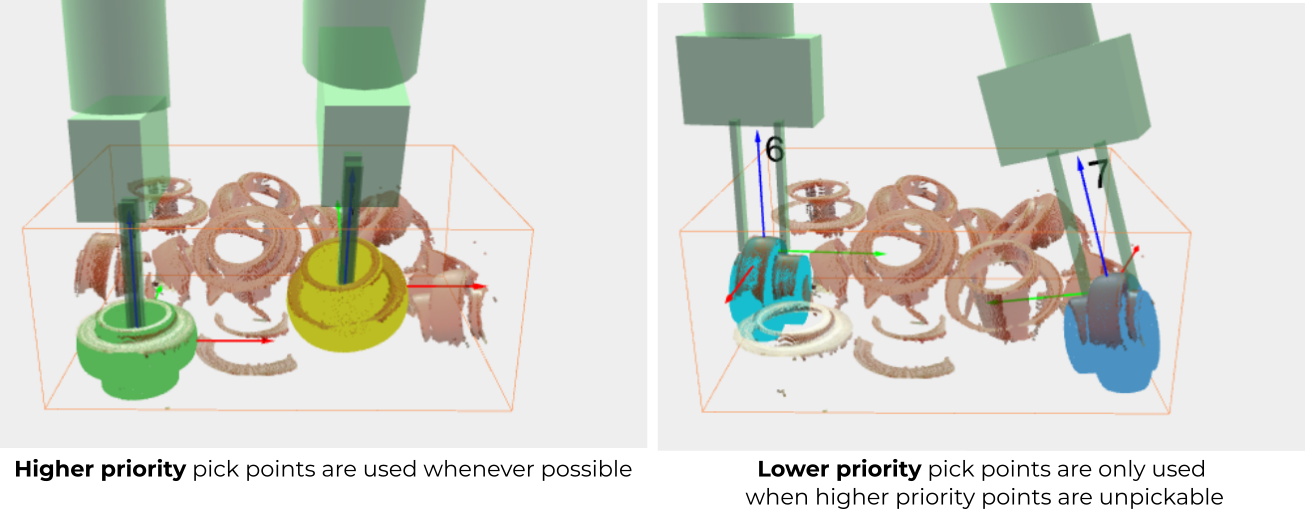
Note that a good robot tool design might not be able to increase the pick accuracy in all directions that might be relevant when it comes to placing the part. Additionally, in bin picking, parts are sometimes only pickable from directions where error cancelation is not possible. For example, when the above rings are standing upright (below left), radial error cancellation is possible, but when they’re standing on their side (below right), this is not possible. In such a case, it’s recommended to use pick point priority to favor upright picks, and to use an intermediate station (explained below) at least for the side picks.
Intermediate station between pick and dropoff
When the robot tool is not able to increase the pick accuracy in all the directions that are relevant for placing, an intermediate station between pick and dropoff is recommended.
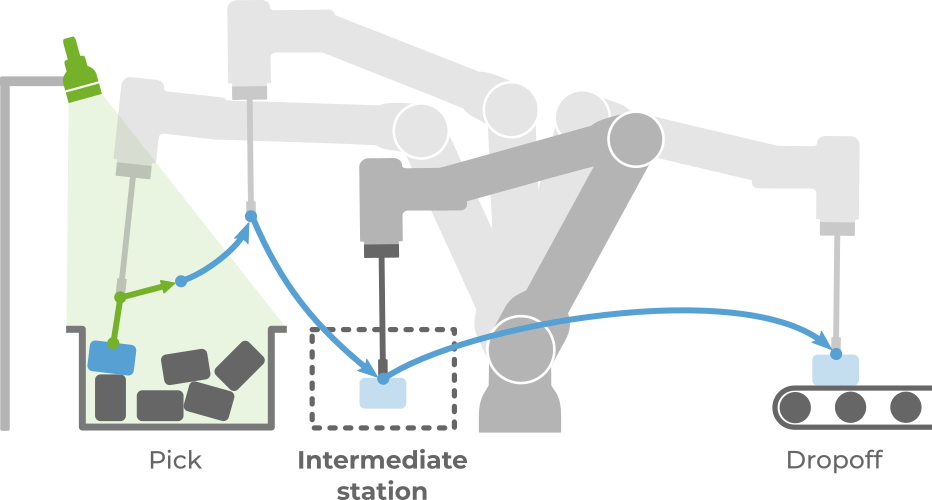
At the intermediate station, the location of an isolated part can be determined more accurately. There are multiple ways to achieve this, described in the following sections.
Note
Adding an intermediate station increases the cycle time of your application, so there is a compromise between accuracy and cycle time. Learn more on how to optimize your application cycle time here.
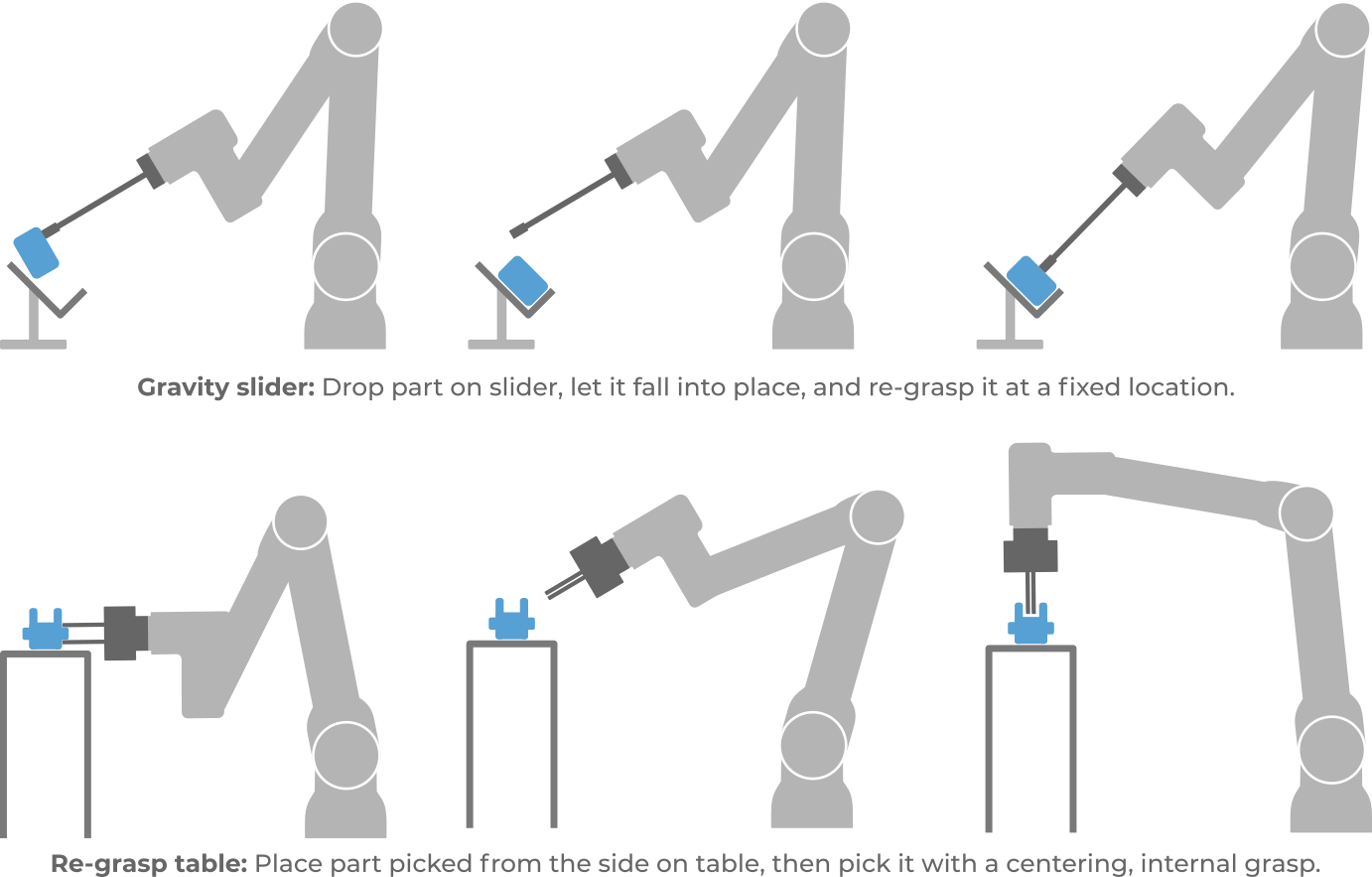
Mechanical fixture
Placing the part on a fixture allows it to be re-grasped from an accurately known location. Detection and picking errors can be canceled out up to an accuracy that depends on the fixture and/or robot tool, and no longer on the vision system.
Second Pickit detection
Detecting an isolated part produces more accurate detections than when parts are overlapping and occluded in a bin, specially when it comes to confirming the correct part orientation. For example, if the part to pick is partially occluded in the bin, shape features that allow to discriminate front from back may not be visible. When a part is detected in isolation, it is fully visible.
The setup is different depending on the camera mount:
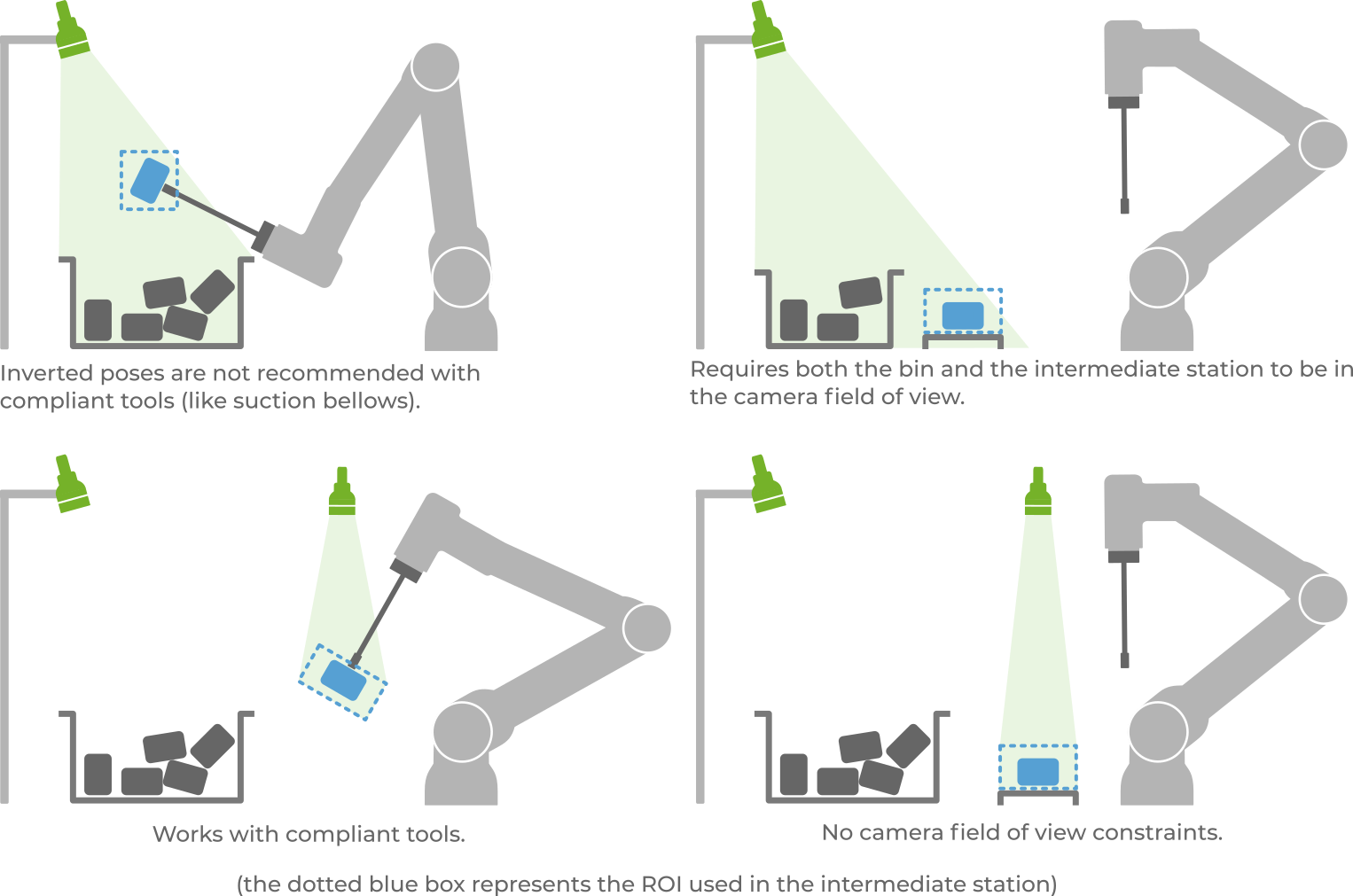
Fixed camera: There are four different possible setups, depicted below. The choice depends on application constraints.
A single camera is enough if the picked part can be presented to the camera field of view (top row). Otherwise, a second camera can be added (bottom row). Some applications can also benefit to have a more accurate camera for the second step, for example, use an SD camera for bin extraction and an HD camera for the second detection.
If the part is detected while being grasped (left column), the pick error offset can be computed and compensated at the dropoff. Otherwise, the part can be placed on a re-grasp table (right column), and the pick error is compensated when the part is picked from the table.
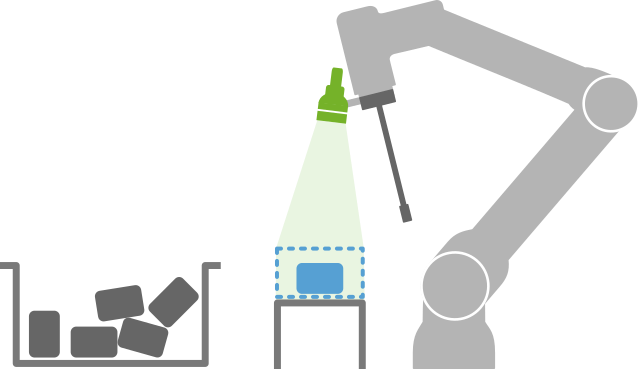
Robot-mounted camera: The setup consists of placing the part on a re-grasp table and triggering a detection from a location different from the one used for bin extraction.
Additional sensors
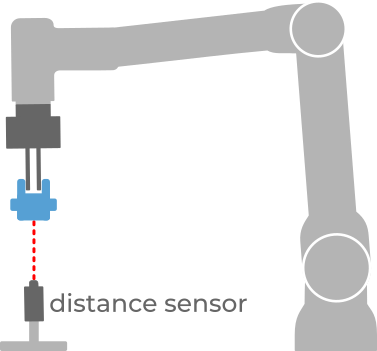
Applications where accuracy needs to be increased in individual directions can benefit from using simple sensors like distance or presence. Although they can’t increase accuracy in multiple directions at once like the strategies mentioned above, they typically incur a lower cycle time penalty.
They are especially useful when used in combination with a well-designed robot tool that already produces good pick accuracy in other directions. For example, picking the below part with a centering, internal grasp is accurate in all directions except the vertical. Using a distance sensor allows computing the offset that needs to be applied in this direction (if any) for a precise drop-off.