Warning
You are reading the documentation for an older Pickit release (4.0). Documentation for the latest release (4.1) can be found here.
System settings
Password protection
This feature enables two user types for the Pickit web interface: admin and operator. Admin is password-protected and has full privileges to configure the application and the Pickit platform. On the other hand, Operator can only monitor the application and collect data for troubleshooting and support.
Role |
Admin |
Operator |
|---|---|---|
Enable/disable robot mode |
✓ |
✓ |
Load/save snapshots |
✓ |
✓ |
Load setup and product |
✓ |
✓ |
Edit/save setup and product |
✓ |
✗ |
Display settings: Language and units |
✓ |
✓ |
Support settings: Download logs and backups |
✓ |
✓ |
Admin settings: Licenses, network, upgrades, … |
✓ |
✗ |
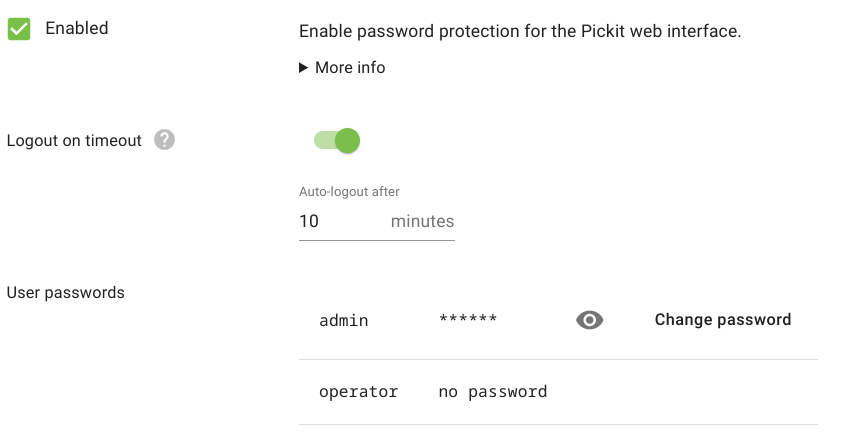
When password protection is enabled, the active user type is shown in the top bar.

License
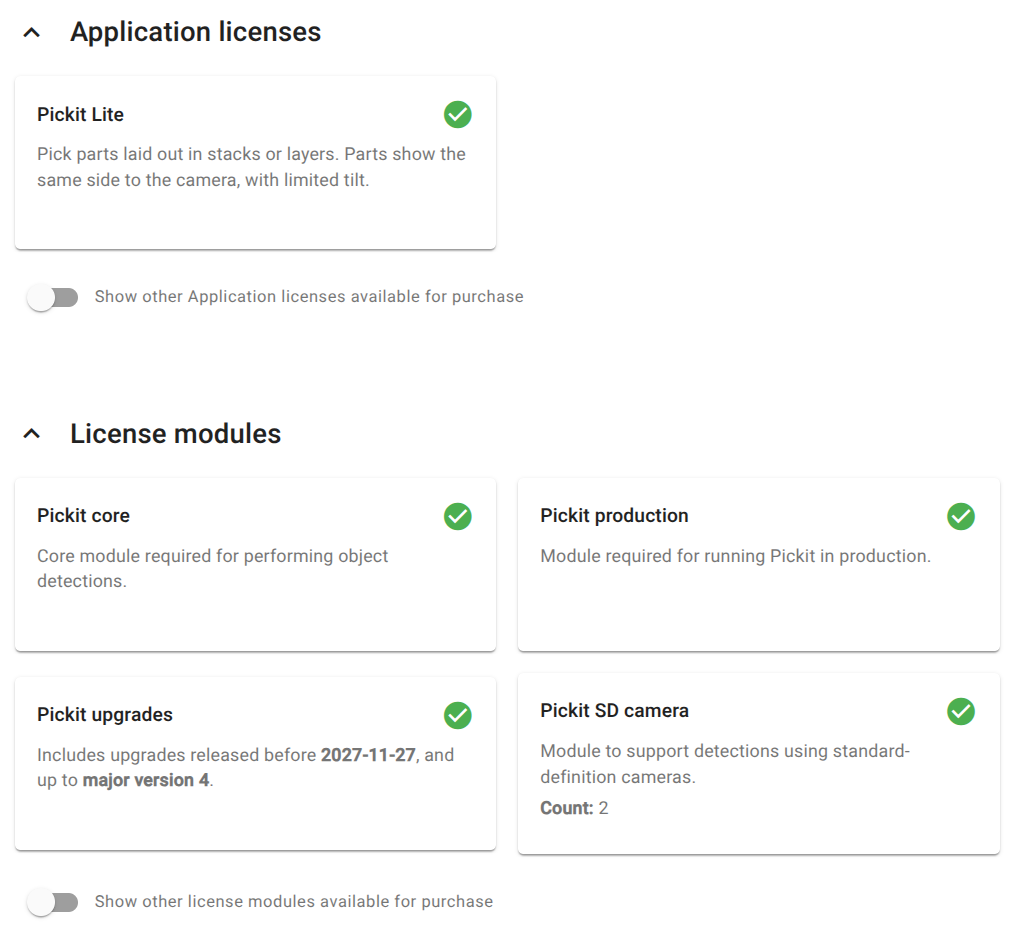
These settings allow you to inspect the details of the license file installed in your Pickit system. You can also learn about available extensions.
Upgrade Pickit version
These settings allow you to upgrade the Pickit software to the latest version. Refer to the Pickit system software upgrades article for step-by-step instructions.
System management
These settings allow you to monitor the resources used by your system, reboot/power off the Pickit processor, and download system logs.
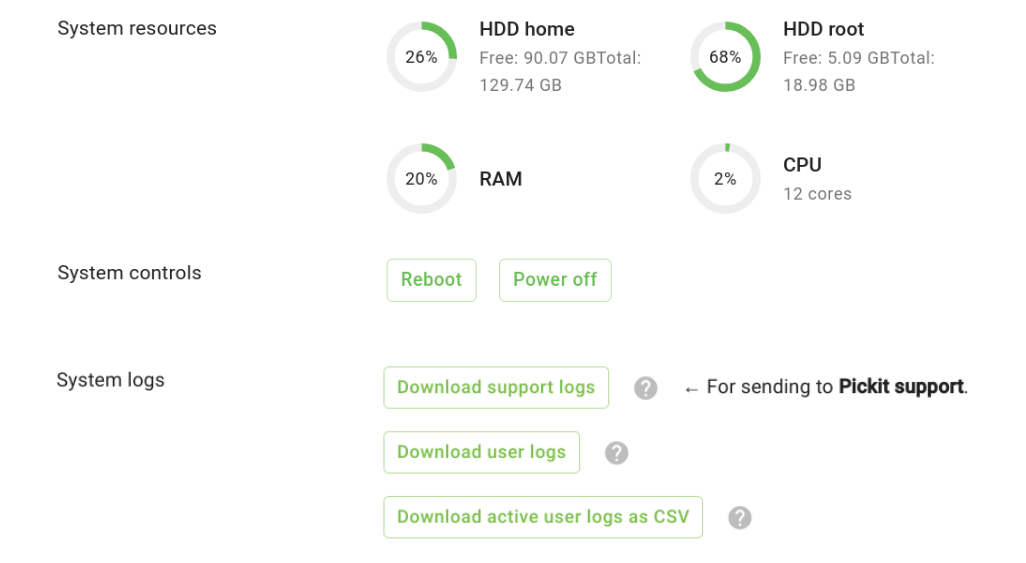
The support logs are what the Pickit support team might request you to download and send to better understand a support question. This is an encrypted archive and cannot be opened by Pickit users.
The user logs, on the other hand, are meant for Pickit users to download and inspect. They include messages reported in the web interface logs tab from the last 30 days. User logs are useful for record keeping and troubleshooting.
Additionally, and for convenience, you can download the active user logs as CSV:
The active logs only include messages since Pickit was last started. If the file becomes too large, it includes a recent subset.
The file format is CSV (with
;as separator), and is meant to be imported into spreadsheet-like applications for easy processing and filtering of its contents.