Software release 4.2
Pickit 4.2 makes it easier to follow how your cell performs, and lets you get more speed and accuracy out of your cameras and detections. Highlights of this release:
Trends page: follow how your detections and the Pickit processor perform over time, directly from the web interface.
Faster captures and detections: compute only where needed, use new, more powerful presets.
More accurate detections: refine flat objects edges, improved AI segmentation and closer FoV for SD2.
Trends page
Pickit now comes with a Trends page, available on every system out of the box. Open it from Trends in the top bar of the web interface.

It shows trends for:
Detections: number of detections and their outcome, cycle time, object pickability and ROI occupancy. Also errors and warnings.
System resources of the Pickit processor, such as CPU and memory usage, and disk space.
You can choose the time range (today, the last 24 hours, 7 days, 30 days, or a custom range), the level of detail (per event, hourly or daily), and filter by setup and product.
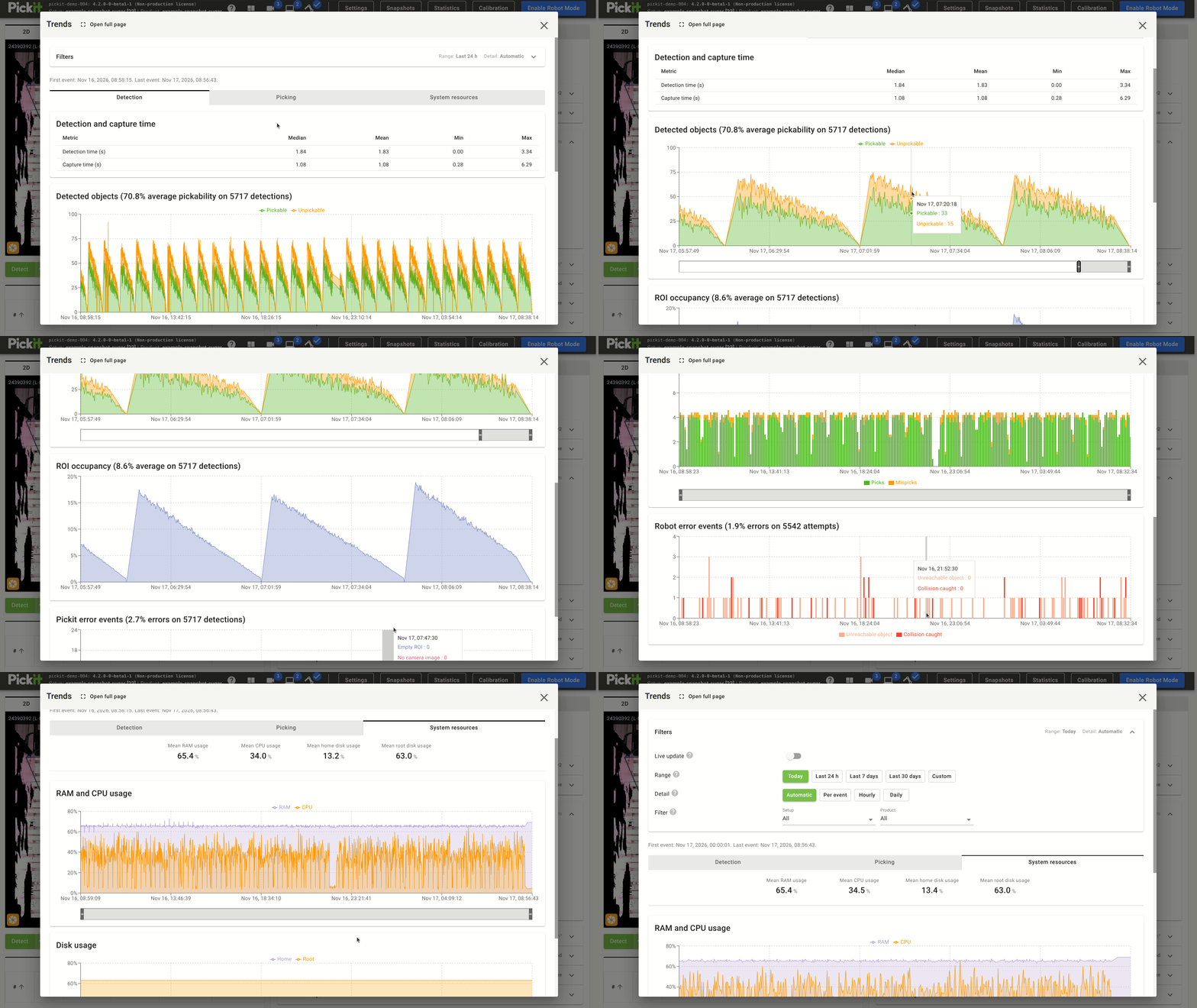
Follow how your cell performs over time. Trends such as the number of unpickable objects, or how the detection and capture times evolve, point you to where your detections can improve. It also offers a full-page view that can be displayed on a monitor in the production area, so you can follow the cell performance at a glance.
Crop image to ROI
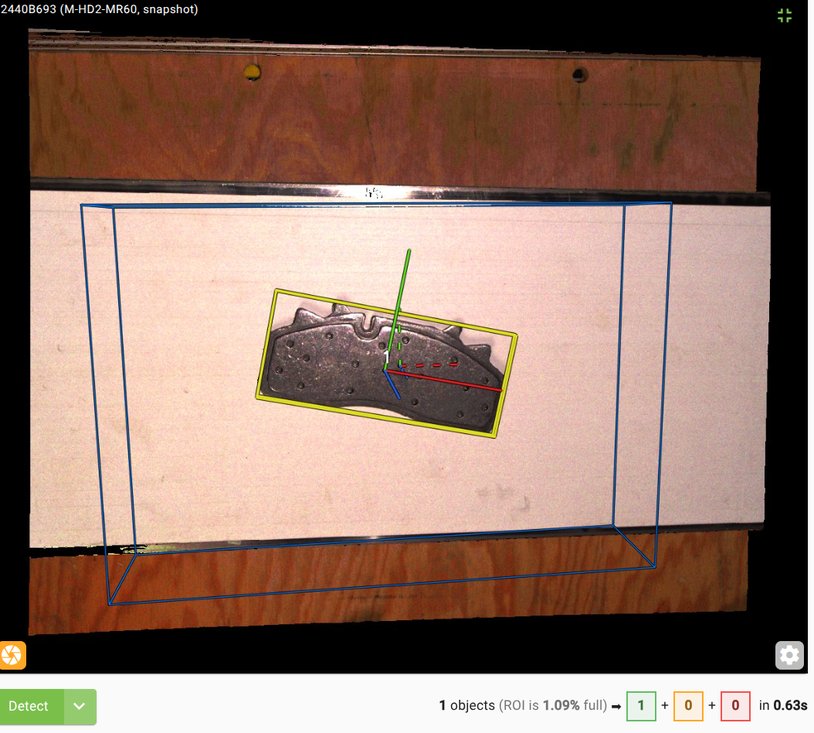
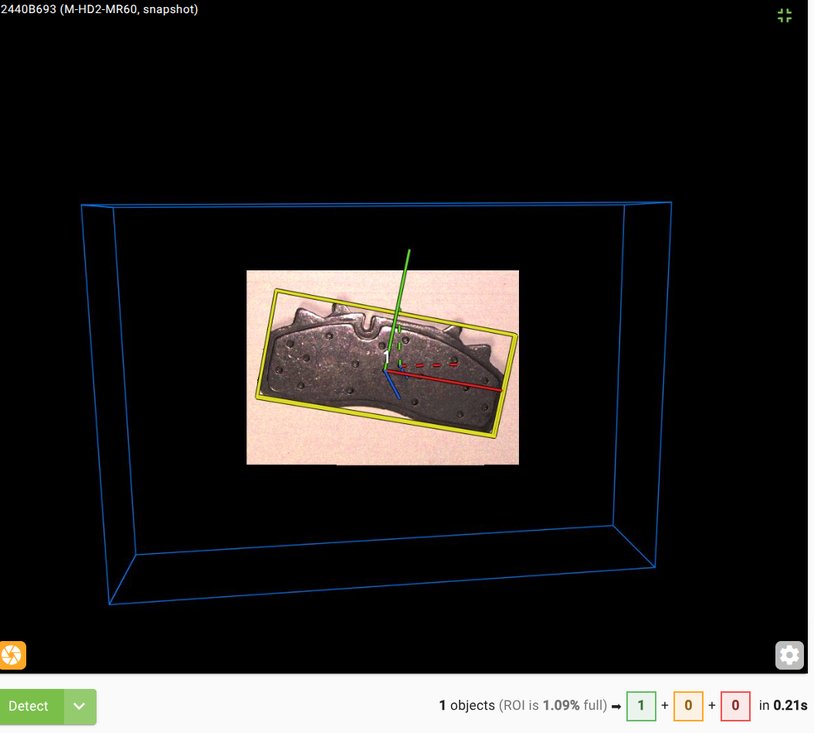
The new Crop image to ROI option in the Advanced options of the ROI setup crops every capture to the ROI and its close surroundings.

All cameras and snapshots: The capture takes as long as before, but the smaller image makes the rest of the detection faster. In particular, when the ROI content is much smaller than the camera field of view, like on single object scenarios, the detection can be up to 2x faster.
Visionerf cameras: The camera also scans only the area around the ROI, so the capture itself is faster. For example, with an ROI covering a quarter of the width and a quarter of the height of the field of view, the capture took about 40% of the time of a full capture.
SD2 camera presets
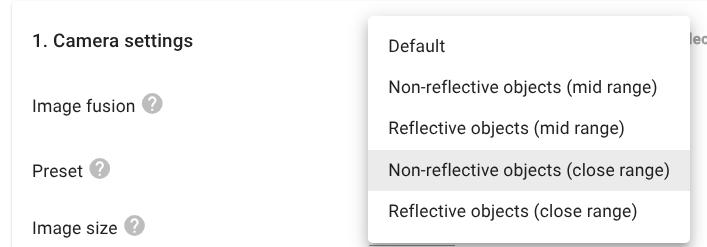
The SD2 camera now has capture presets that tune the camera for the distance to the objects and their appearance:
Non-reflective objects (close range) and Reflective objects (close range), for objects about 400 mm to 750 mm from the camera.
Non-reflective objects (mid range) and Reflective objects (mid range), for objects about 650 mm to 950 mm from the camera.
Default, which keeps the previous camera settings, from 800 mm to 2000 mm from the camera.
These presets enable the camera to capture at a closer distance, making the most of the near SD2 detection distance, starting from 400 mm instead of 800 mm. We also introduced HDR, combining several exposures in one capture for better point clouds on reflective and mixed-color scenes.
Zivid HD2 camera presets
The presets of the M-HD2-MR60, L-HD2-LR110 and L-HD2-MR130 cameras are updated:
Diffuse and Shiny are updated with faster and better settings.
Mixed/Semi-transparent is a new, very powerful preset for consumer goods mixed bins and semi-transparent objects.
Parcels is a new and fast, lower-resolution preset for parcel handling. It captures in about 0.3s.
Refine the fit on the edges
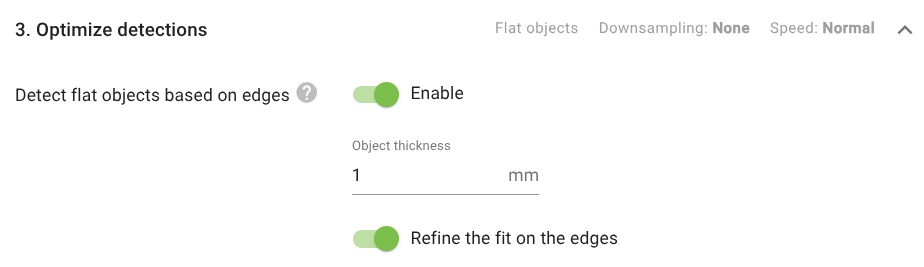
Pickit Teach models of flat objects have a new Refine the fit on the edges option. It adds a final refinement of the model fit along the object edges, which makes the detected pose of parts like sheet metal plates much more accurate. Depending on the camera it can reach submillimeter accuracy.
Improved AI segmentation
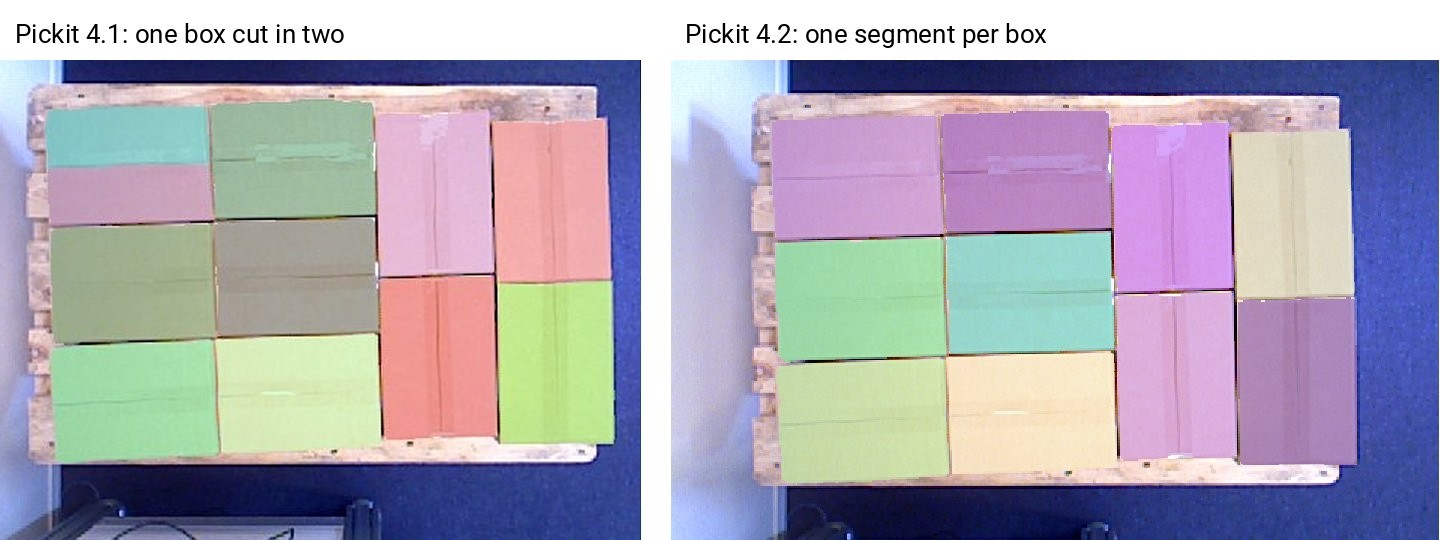
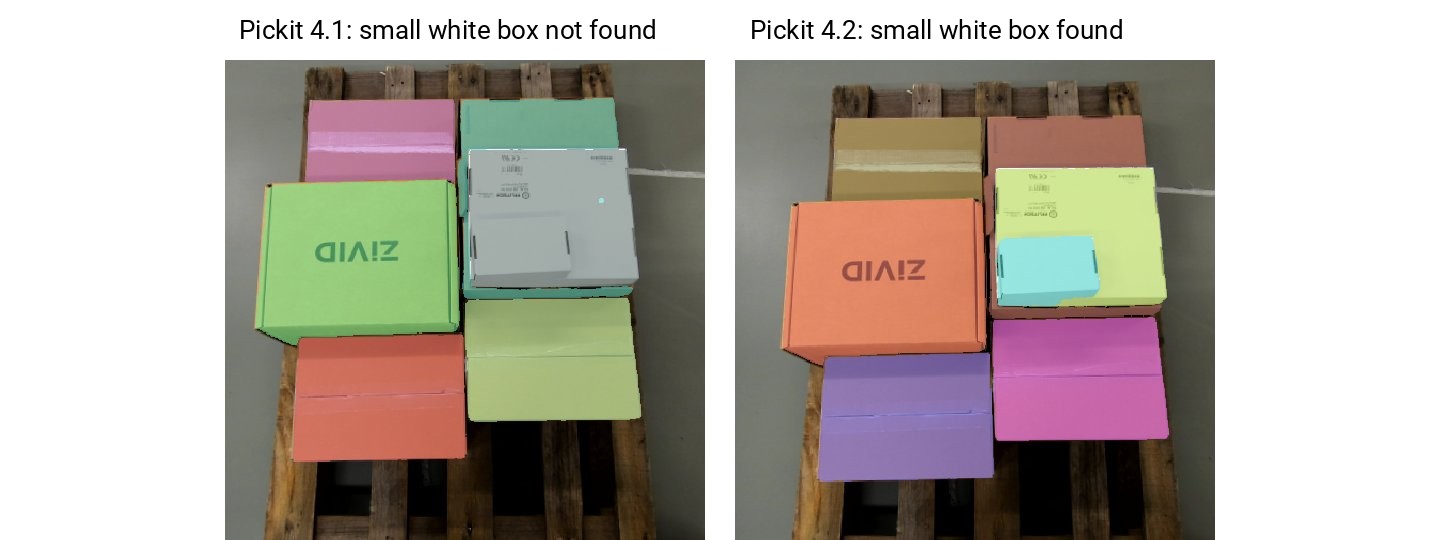
AI segmentation is now up to 500ms faster and better in separating neighboring objects.
Set object dimensions from the robot program
The new RC_PICKIT_SET_DIMENSIONS robot command (44) lets the robot program change the dimensions of the model in the active product, for example before each cycle:
Pickit Place: the length, width and height of the part to place, useful when every box or parcel has a different size.
Pickit Teach cylinder and box models: the length and diameter of a cylinder, or the length, width and height of a box, for billets of varying size.
Pickit Pattern rectangles: the length and width.
It supersedes RC_PICKIT_SET_CYLINDER_DIM (41), which keeps working but will eventually be removed.
New languages
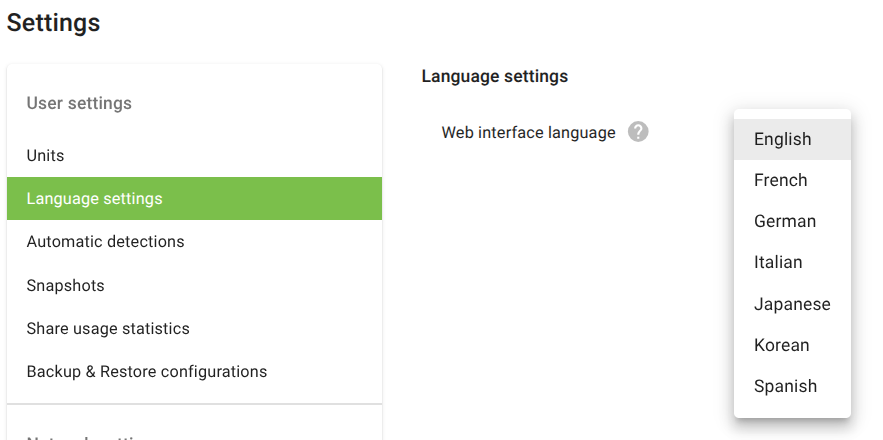
The web interface is now available in French, Spanish and Italian, in addition to English, German, Japanese and Korean. Change the language in the user settings.
Upgrade now!
Unlock the new Trends page, faster captures and more accurate detections, and all the other new features in Pickit 4.2. If your Pickit upgrades license is active, you can download the new release here. Otherwise, contact our sales team at sales@pickit3d.com!