Desired pick point orientation
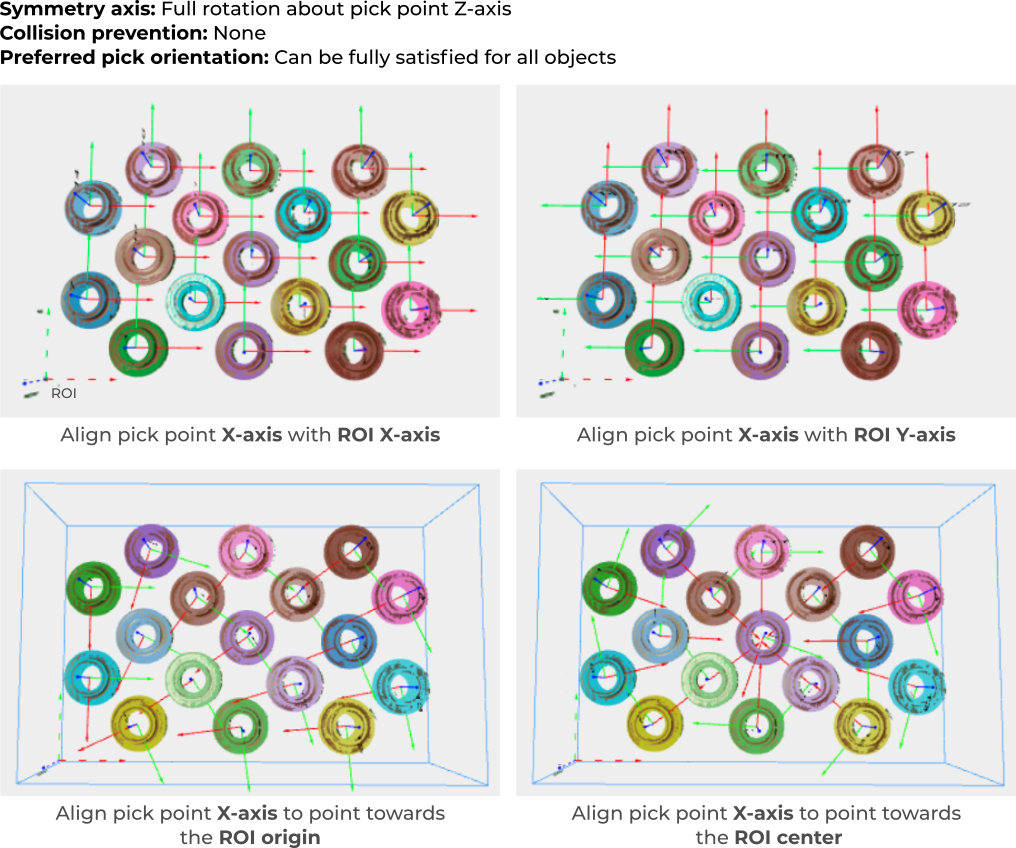
When an object model has multiple pick points, a symmetry axis or a tool with flexible pick orientation, there can be some freedom in how the pick point is oriented. The desired pick point orientation allows pointing a pick point axis as close as possible to one of the ROI frame axes, or a specific location, like the ROI frame origin or the ROI center.

This constraint can be used to favor pick orientations that are easier and faster to reach by the robot, resulting in for instance, reduced wrist motions, or avoiding wrist configurations causing undesired tension to robot tool cables.
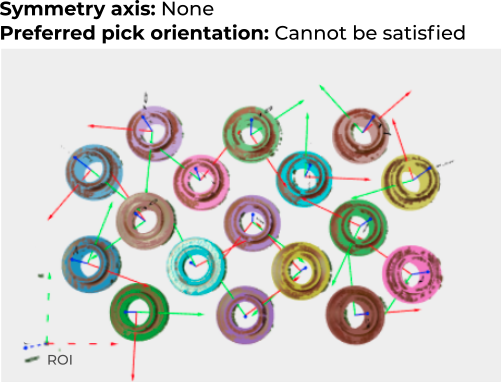
Consider the following example. Because the part in the image below is symmetric, the model can be correctly fit in an infinite number of orientations. If the part has a single pick point without symmetry axis, there is no freedom to reorient the pick point. As a consequence, pick points are randomly oriented with respect to the ROI frame (lower left, dashed axes).
If a symmetry axis is defined, the pick point can now fully rotate about it. It can be seen below how the symmetry is now exploited to fully align the objects with the requested ROI frame axis.
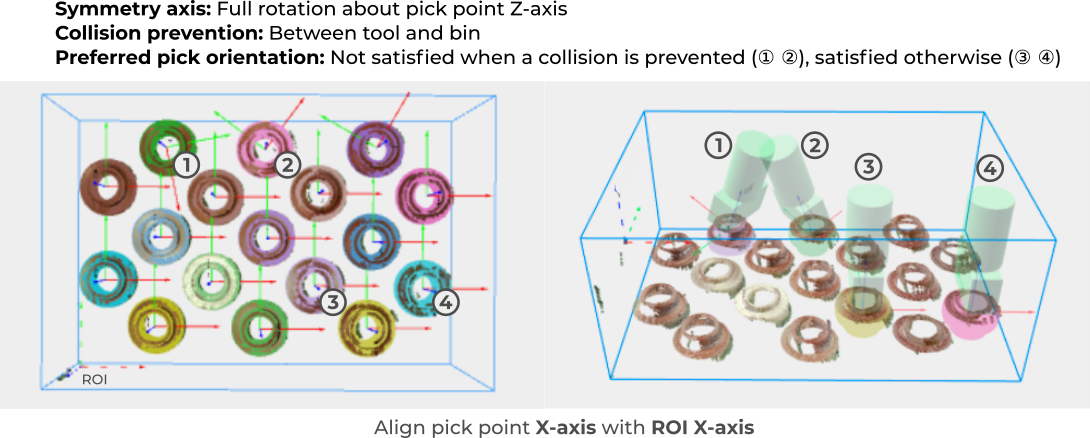
Finally, if this is a bin picking scenario, we are also interested in preventing collisions between the robot tool and the bin. As a result, it can be seen that the desired orientation is used as long as it’s collision free. The pick point diverges from the desired orientation only for a few objects, for collision prevention purposes.
Enforcing a maximum deviation
By default, the desired pick orientation is to be satisfied within 180°. If a lower value is set, objects will be labeled as unpickable if the desired orientation is not satisfied within that range. In the example below, we want to align the pick point X axis within 60° of the ROI X axis, and show the three possible outcomes: Fully aligned, not fully aligned (but within range), and outside the range.

